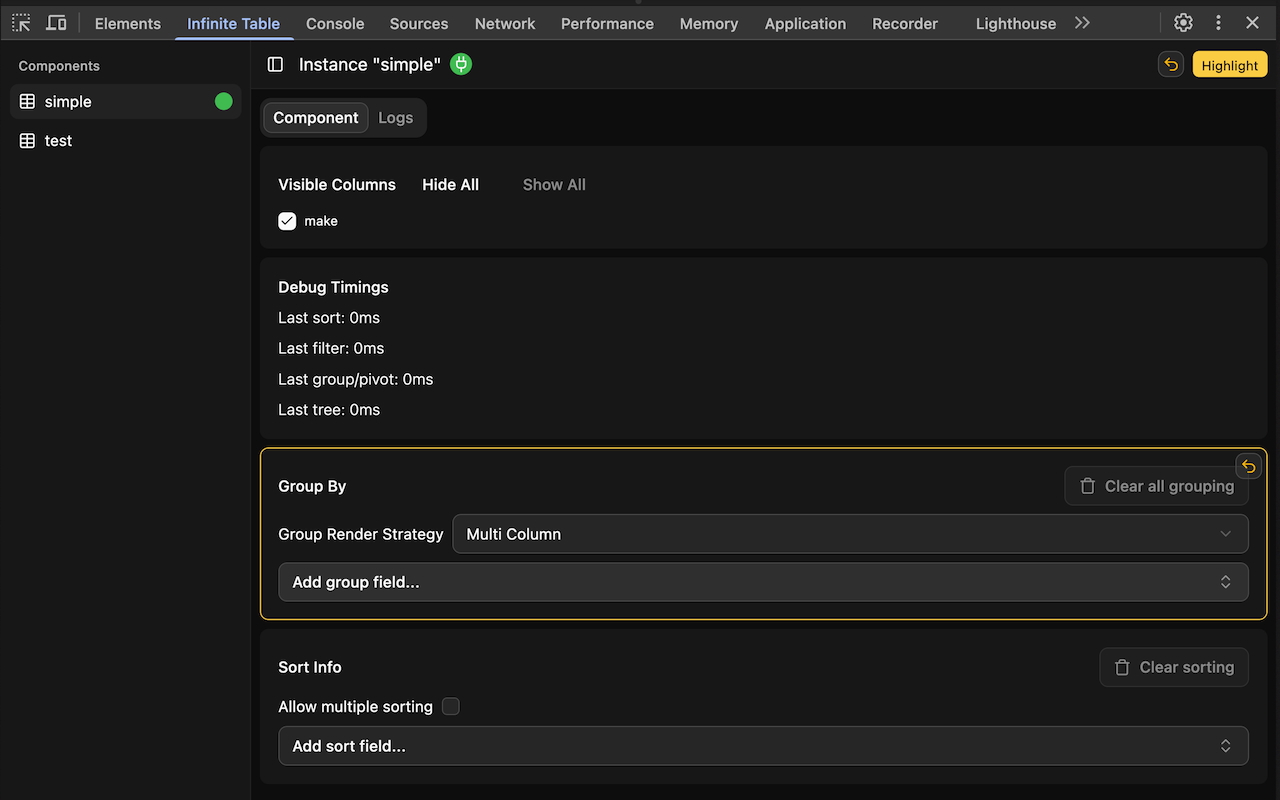
# Infinite Table DevTools
> Guide on using the Chrome DevTools Extension for the Infinite Table React DataGrid
Canonical page: https://infinite-table.com/docs/devtools
We're happy to announce that [Infinite Table DevTools extension](https://chromewebstore.google.com/detail/infinite-table-devtools-e/jpipjljbfffijmgiecljadbogfegejfa) is now live - [install it here!](https://chromewebstore.google.com/detail/infinite-table-devtools-e/jpipjljbfffijmgiecljadbogfegejfa)
To see the extension on a live demo, head to the [chrome webstore](https://chromewebstore.google.com/detail/infinite-table-devtools-e/jpipjljbfffijmgiecljadbogfegejfa) to download the extension.
Then visit [our live demo page](https://infinite-table.com/full-demo) and open your browser devtools - you should see the "Infinite Table" devtool tab. Click it and enjoy interacting with the DataGrid!
To see an Infinite Table instance in the devtools, specify the [`debugId`](https://infinite-table.com/docs/reference/infinite-table-props.md#debugId) prop.
```tsx {2}
```
Infinite Table is the first DataGrid with a Chrome DevTools extension. Starting with version `7.0.0` of Infinite, you can specify the `debugId` property on the `` instance and it will be picked up by the devtools.
```tsx {16}
const columns = {
name: {
field: 'firstName',
},
lastName: {
field: 'lastName',
},
age: {
field: 'age',
},
}
const App = () => {
return
}
```
If you have multiple instances, each with a unique `debugId` property, they will all show up